# leaflet-ui

Leaflet presets for common user interface customizations

_For a working example see [demo](https://raruto.github.io/leaflet-ui/examples/leaflet-ui.html)_
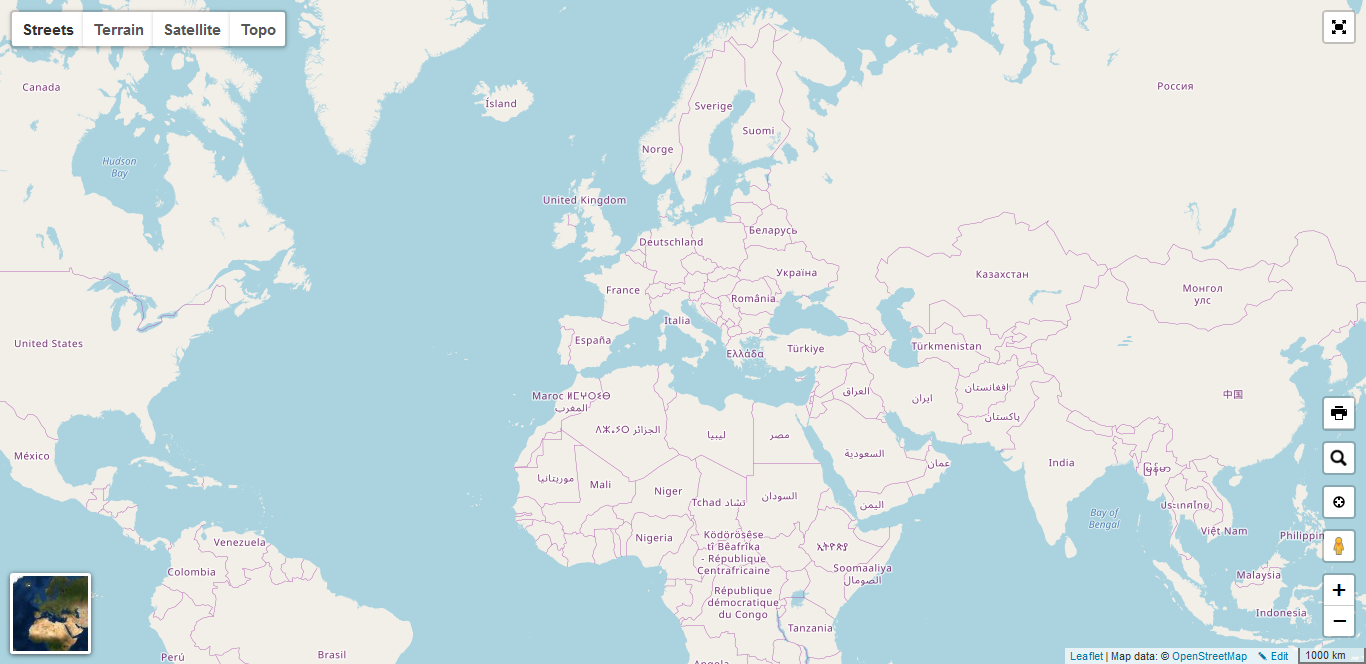
<p align="center">
    <a href="https://raruto.github.io/leaflet-ui/examples/leaflet-ui.html"><img src="https://raruto.github.io/img/leaflet-ui.png" alt="Leaflet default UI" /></a>
</p>


* * *

## How to use

1.  **include CSS & JavaScript**
    ```html
    <head>
    ...
    <style> html, body, #map { height: 100%; width: 100%; padding: 0; margin: 0; } </style>
    <!-- Leaflet -->
    <script src="https://unpkg.com/leaflet@1.6.0/dist/leaflet.js"></script>
    <!-- Leaflet-UI -->
    <script src="https://unpkg.com/leaflet-ui@latest/dist/leaflet-ui.js"></script>
    ...
    </head>
    ```
2.  **choose a div container used for the slippy map**
    ```html
    <body>
    ...
      <div id="map"></div>
    ...
    </body>
    ```
3.  **create your first simple “leaflet-ui” slippy map**
    ```html
    <script>
      var map = L.map('map', {
        center: [41.4583, 12.7059],
        zoom: 5,

        // Optional customizations
        mapTypeId: 'topo',
        mapTypeIds: ['streets', 'terrain', 'satellite', 'topo'],
        gestureHandling: true,
        zoomControl: true,
        pegmanControl: true,
        locateControl: true,
        fullscreenControl: true,
        layersControl: true,
        minimapControl: true,
        editInOSMControl: true,
        loadingControl: true,
        searchControl: true,
        disableDefaultUI: false,

        // Experimental feature
        rotate: true,
      });
      map.once('idle',function(){ /* Waiting for map init */});
    </script>
    ```

* * *

**Compatibile with:** leaflet@1.6.0

* * *

**Contributors:** [Raruto](https://github.com/Raruto/leaflet-ui)
